Referral code
Muse referral code.
Redeem code S5V9L9 within 48 hours of joining and you both get 1 billion Muse tokens that never expire.
✓ Last verified September 26, 2026
U.S. readers
Next review October 26, 2026
Don't skip this
Get the free 1 billion tokens: do this within 48 hours
Code: S5V9L9
- Download Muse (iOS or Android) or open muse.ai, create your account, and finish setting up your Muse: give it a name and identity.
- Open Settings, then General.
- Tap Redeem invite code.
- Enter S5V9L9 and confirm.
48-hour deadline: The code only works within 48 hours of joining. After that the field is gone and the 1 billion tokens cannot be claimed, so redeem it the same day you sign up.
You and the person who invited you each get 1 billion Muse tokens. In the app they are listed as additional tokens that never expire.
Join Muse
The short answer
Our Muse referral link.
Here's the one thing to get right: the code isn't entered at sign-up. Create your account, set up your Muse, then open Settings, tap General, and choose Redeem invite code. Type S5V9L9. You have 48 hours from joining, and once that window closes the 1 billion tokens are gone for good. Do it the same day.
Link: https://financeappradar.com/go/muse
AI Agent
Muse referral details
Next checkOctober 26, 2026
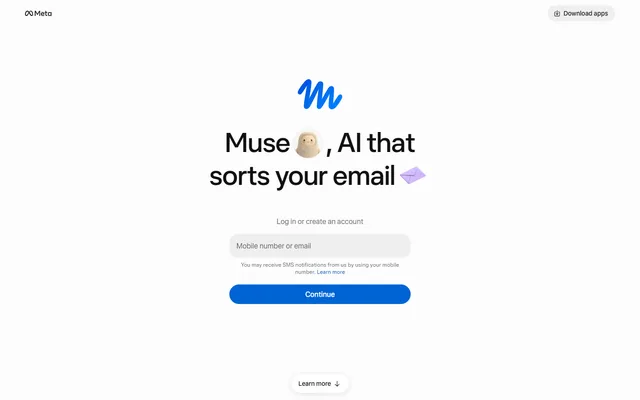
Muse is the first AI from Meta that does the work instead of describing it: it books, fills in, emails and buys inside its own secure cloud machine. The model underneath ranks near the top of the Artificial Analysis leaderboard, and right now a code gets you 1 billion free tokens.
Before you sign up
Before you sign up.
The offer below is quoted from Muse's own terms on the date shown. Nothing here guarantees a bonus or approval.
| Best use case | 1 billion free Muse tokens |
|---|
| Who should use it | U.S. adults who want an AI agent that handles real tasks |
|---|
| Main drawback | U.S.-only at launch, and the free weekly allowance runs out fast on long tasks |
|---|
| Important limitation | New accounts only; 48-hour window; each code has a limited number of uses; tokens are usage credit, not cash. |
|---|
| Full context | Read the Muse review |
|---|
How to claim the Muse offer
- Install Muse on iOS or Android, or open muse.ai, and sign in. You need to be 18 or older and in the U.S.
- Set up your Muse: give it a name and identity, then tell it what you want in plain language, by text or voice, in the app or on WhatsApp.
- Muse plans the task and works on it inside its own secure cloud machine. It can email, fill in forms, compare and book, and buy through Stripe Link.
- Anything sensitive, like a payment or a message on your behalf, waits for your approval. Credentials stay in a secure store the agent itself never sees.
- It keeps going after you close the app and reports back when the job is done.
Current Muse offer details
| Current offer | Redeem code S5V9L9 within 48 hours of joining and you both get 1 billion Muse tokens that never expire. |
|---|
| What you must do | Settings > General > Redeem invite code, enter S5V9L9, within 48 hours of joining. |
|---|
| When it posts | The tokens show up in Settings > General as additional tokens once the code is redeemed. |
|---|
| Key limitation | New accounts only; 48-hour window; each code has a limited number of uses; tokens are usage credit, not cash. |
|---|
Muse eligibility and availability
Muse runs on Muse Secure VM: a dedicated, isolated cloud machine per user, with a second agent (Sentinel) that decides what can leave for the internet, credentials the agent can't read, and approval prompts for sensitive actions. Meta says a Confidential VM, encrypted with a key only you hold, is coming. The usual agent rule still applies: read before you approve anything that spends money or speaks for you.
Muse referral FAQ
What is the current Muse new-user offer?
Redeem code S5V9L9 within 48 hours of joining and you both get 1 billion Muse tokens that never expire. Requirement: Settings > General > Redeem invite code, enter S5V9L9, within 48 hours of joining.
Do I need to type a Muse code?
Yes, but not at sign-up. Join first, then within 48 hours open Settings > General > Redeem invite code and enter S5V9L9.
More verified codes
Related codes.
More from Finance App Radar
U.S. money-app hubs and curated picks.